

Get to know Crevue
Discover how Crevue can offer detailed insights into remote locations
Crevue is continuously evolving to deliver a feature-rich, robust, and powerful solution for accessing 'reality capture' content. Our vision is to enable virtual visits to remote sites and facilities from anywhere in the world by designing advanced software. It is built on a state-of-the-art game engine, offering unparalleled 3D capabilities and stability.
Read on to learn more about major features:
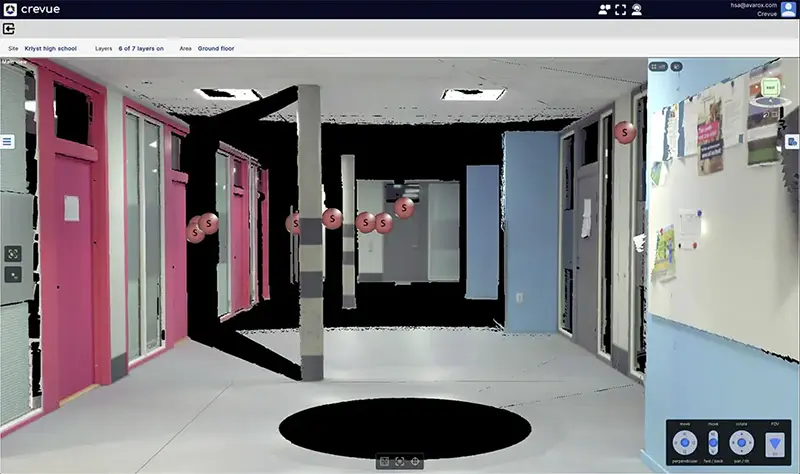
A school corridor interior scan in 3D view
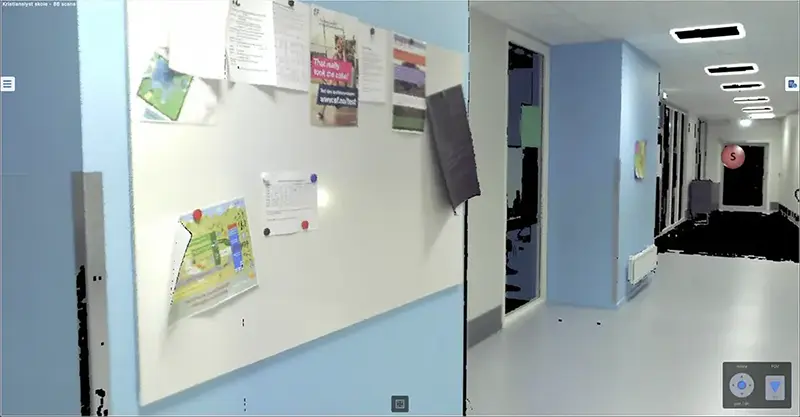
The same scan viewed from the instrument's perspective
Laser scans
High-precision laser scanner systems capture scans that provide exceptionally accurate 3D documentation of the scenes they survey. Since its emergence around 1999, laser scanning has developed into a highly efficient and precise method for creating spatial documentation. When captured correctly, laser scan data can deliver single point accuracy of just a few millimeters on short range captures (typically less than 50 meters). Today, this technology is widely adopted across various applications, documenting everything from buildings and civil infrastructures to process facilities, oil platforms and ships.
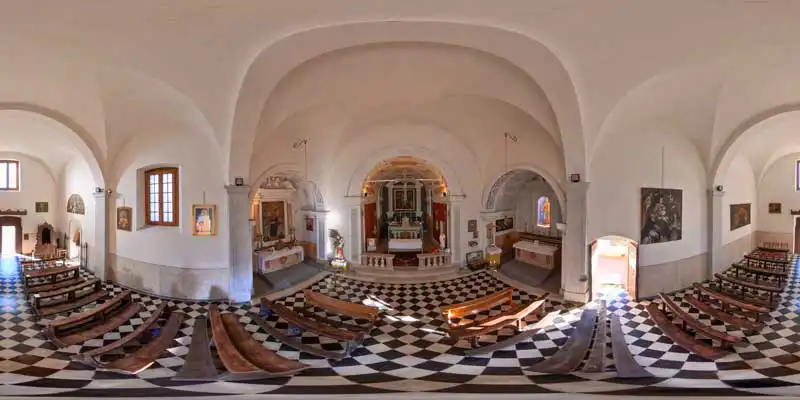
Crevue supports loading scans both in full 3D and in an isolated scan view. In the full 3D view, a 3D mesh representation of one or multiple scans is loaded, allowing users to examine scanned objects from any viewpoint. This is particularly useful when combined with other 3D objects, such as BIM models, to compare design and as-built conditions. Scans can also be loaded in a separate viewport, where an isolated view from the scanner's perspective provides a 360-degree high-visual-clarity representation of the scene. Users can pan and zoom in the scan, much like viewing a 360-degree panorama photo.
The raw scan data from scanners is quite large, so Crevue thoroughly optimizes it to prepare it for streaming. In addition to storing the optimized data, Crevue retains the raw data in its full depth, making it available for generating point clouds on demand.
Point cloud data
Point clouds generated from scans represent the most detailed spatial data we offer. With high point resolution and true colors, point clouds are highly suitable for gaining insight and familiarity with a facility. They not only provide excellent visual representation but also enable accurate point-to-point measurements and allow you to select individual positions within the facility's master grid coordinate system. Areas and volumes can also be calculated. Additionally, a common use is to combine point cloud data with CAD models to compare 'as-built' with 'as-designed'.
Point clouds in Crevue are generated from a selection of scans. They are uniformly sampled and optimized for cloud storage and client streaming. All processing and storage are handled on cloud servers. Administrators can easily create and delete point clouds based on project or user needs.
Adaptive point cloud loading
Point clouds are often extremely large, and effectively utilizing them can be challenging. Scanning a facility, such as an oil platform, involves capturing hundreds or thousands of scans, each containing millions of points. Despite being uniformly sampled and optimized, point clouds generated from these scans remain very large. Loading millions, or even billions, of points into memory is impractical.
To address this, Crevue has developed an adaptive point cloud loading algorithm. When viewing a large volume, point density is reduced, making the total size of the visible point cloud manageable. As you zoom in to examine specific features or details, point density dynamically increases, enriching the point cloud with more detail while remaining fully manageable.
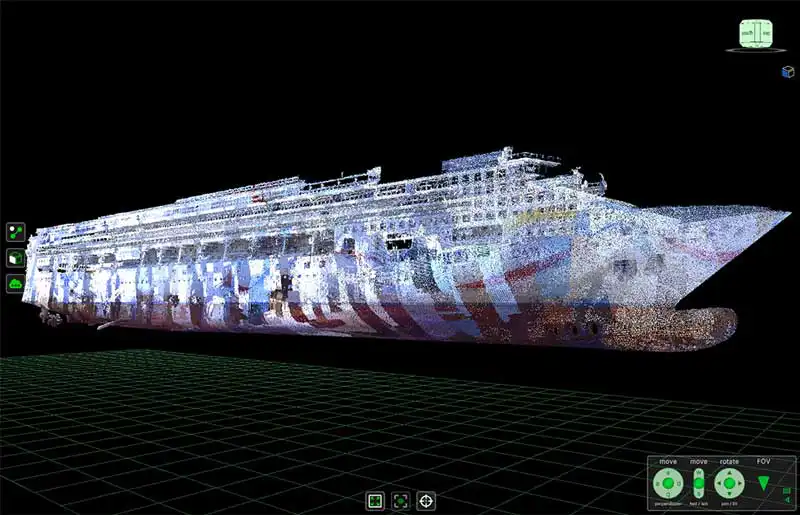
Cruise ship hull scanned while in dry dock
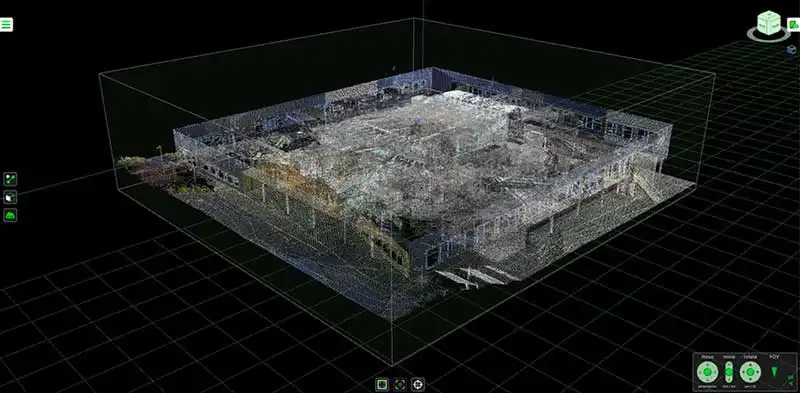
Low-density point cloud of a high school's interior and exterior
BIM / CAD
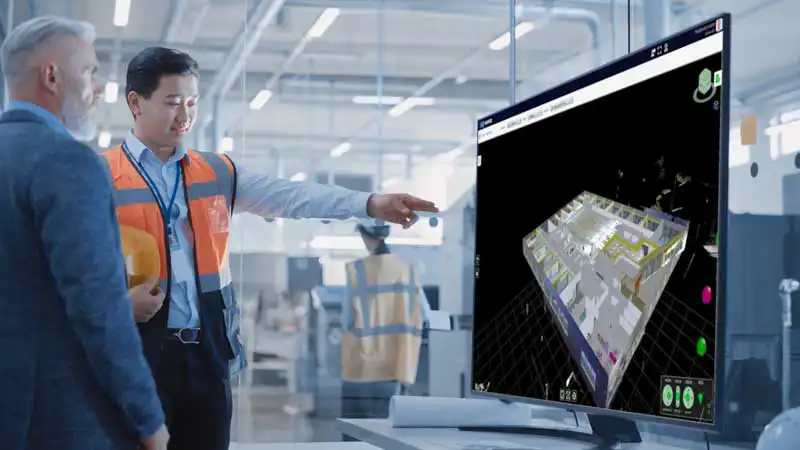
BIM models are imported from IFC files, including per-object BIM properties. The models are optimized for streaming and use within the Crevue Explorer software. With a hierarchical object structure, users can easily toggle specific sections on and off, enabling focused examination of areas of interest.
Compare with scans or point clouds
Combine design models and scan data to compare the intended and actual states. A typical use case for industrial applications is to ensure clash-free design of pipes and similar process equipment. For civil and architectural applications, loading a BIM model offers insights into the state and progress compared to the as-built state.
Spherical panoramas
Crevue supports spherical panoramic photos to deliver detailed views of the target site or facility. Due to our preparation and storage methods, Crevue can serve high-resolution panoramas even to low-spec client devices. Panoramas are spatially oriented in the same way as scans and CAD models, ensuring they are placed in the same spatial context.
These datasets offer an excellent method for virtually visiting the site and gaining clear, detailed insights into the physical environment from a remote location. By moving from photo to photo, with the ability to orient the view and look in all directions, users have an easy way to navigate through the facility and become familiar with it.
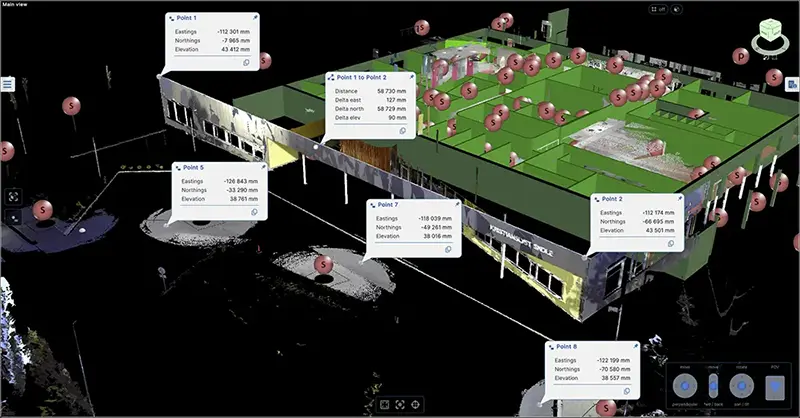
Single point and point-to-point distance measurements
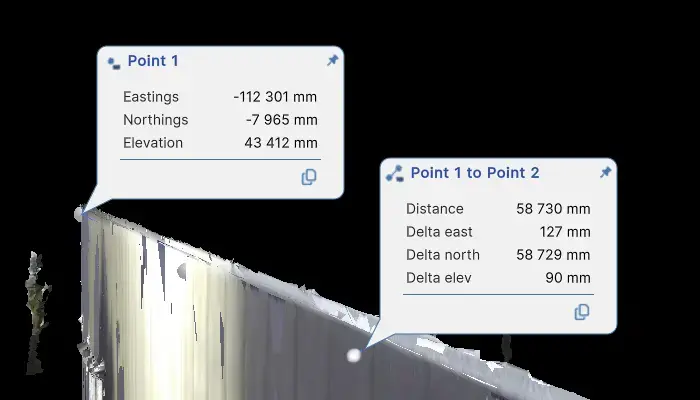
Measurement details
Measurements
Users can precisely select positions and perform 3D measurements. Scans, point clouds, BIM/CAD models, and 3D floor plan models are all suitable for taking measurements. Point-to-point distances can be determined between any combination of these content types.
Measurements can be exported to text files for use in other applications.
Floor plans
3D floor plan models are excellent for navigation and serve as a solid foundation for all other spatial content. These lightweight 3D models provide context for other content, making it easy for users to maintain spatial orientation.
Crevue utilizes both 2D and 3D floor plans. 2D plans are drawings that can be scaled and positioned to seamlessly integrate with other spatial content. Administrators achieve this by calibrating the drawing or image within the Crevue CMS.
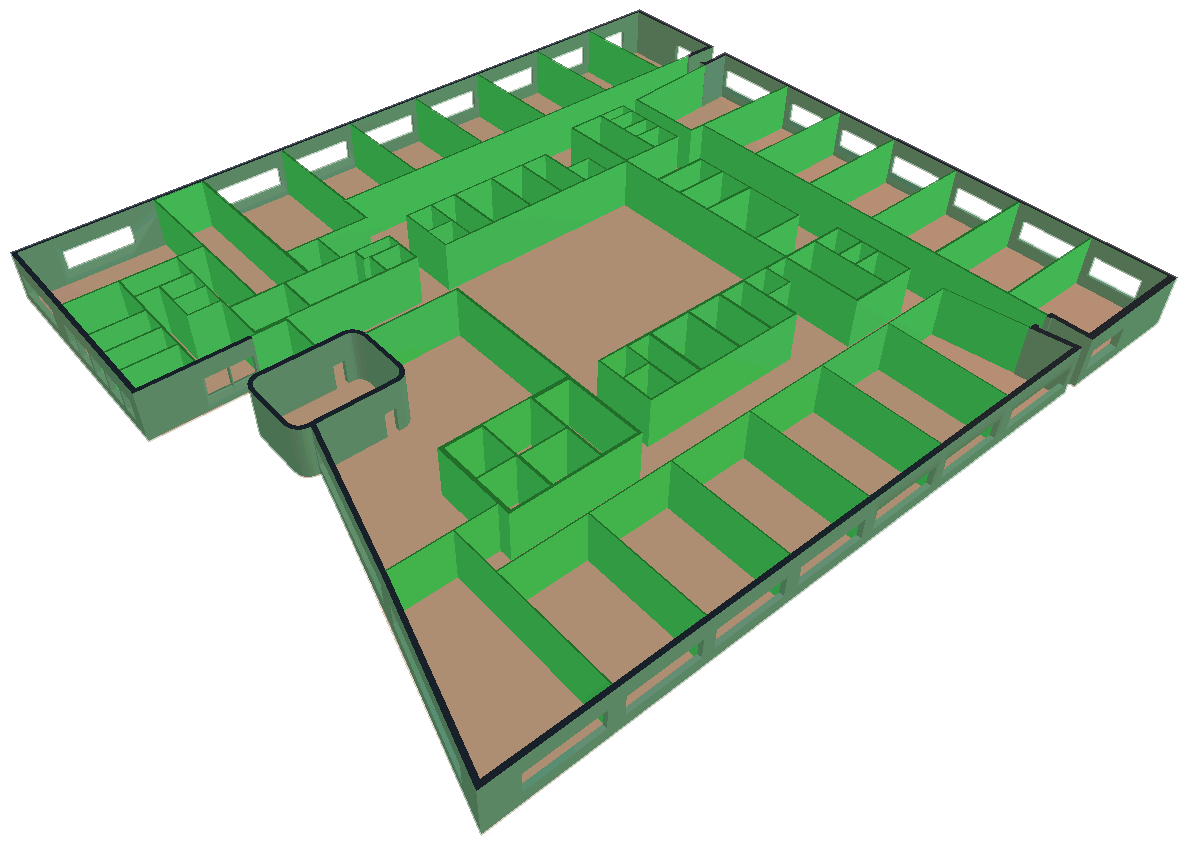
High school building 3D floor plan model
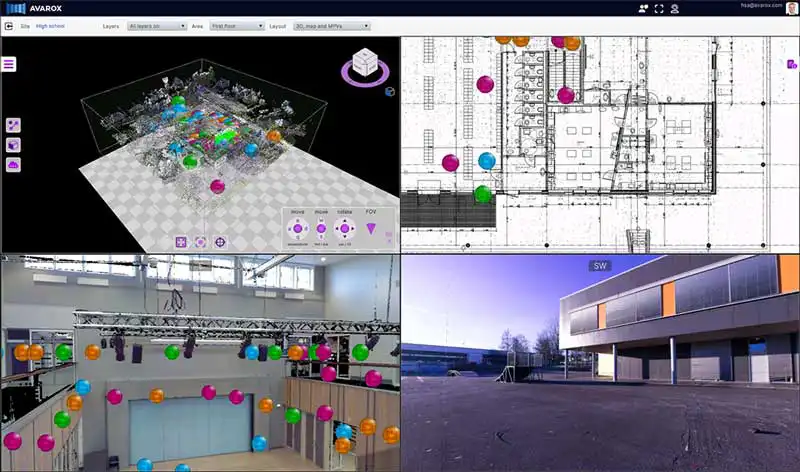
A typical view with all viewports in use
An advanced user interface
The Crevue Explorer has been designed from the ground up to operate robustly on all supported platforms. Both 2D and 3D content can be loaded, all of which are spatially aligned to a common coordinate grid system.
Our UI includes four separate viewports, allowing users to examine content in the main 3D space and additional secondary viewports. Scans can be loaded both in the 3D space and the viewports, while panoramas are loaded exclusively in the viewports.
Content Management System
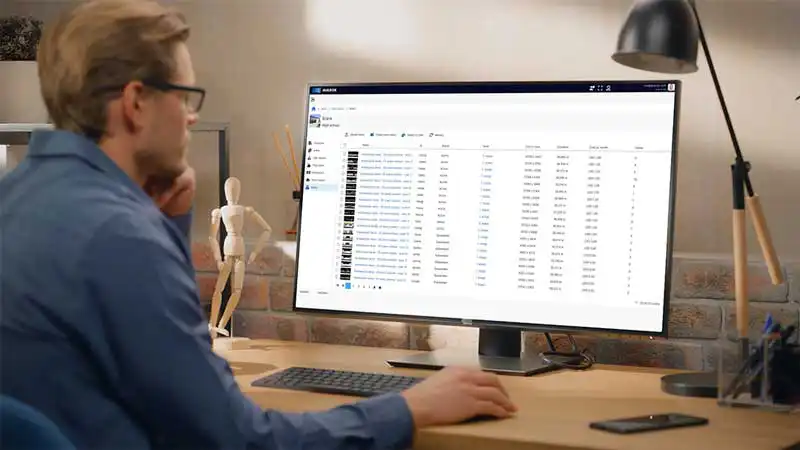
Content owners and providers can fully manage their own data using the CMS (Content Management System). This includes uploading scans, panoramas, and CAD models, generating point clouds, managing users, and providing end-user support. Hub admins have complete control over the appearance and content of their portals. Additionally, all content can be bulk downloaded, making Crevue a comprehensive content management system.
Multi platform
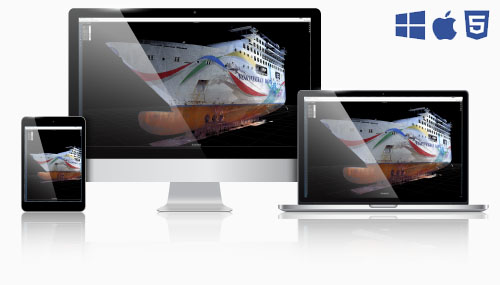
There are several ways to explore with Crevue. The recommended method is to install it on Windows/PC or macOS/Mac. If installing software is not an option, you can access Crevue through a web browser on any device. The user experience is nearly identical. However, the web version has some limitations regarding file access and memory usage imposed by web browsers, making installation the preferred option.
In 2026, we will also support XR/VR, providing users with an intensely immersive experience using virtual reality headsets.