

Crevue pricing
Only pay for what you use. Don’t get stalled by contracts, capacity planning, or price modeling
Pay-as-you-go
Start for free. Every product has a meaningful free tier so you can sign up and publish content without friction.
Only pay for what you use. Cancel anytime.
Volume discounts
As your usage grows, you’ll automatically get volume pricing. No negotiation necessary.
Save by active management
Receive a significant discount on content by marking it as Private. Switch to Public anytime to make it instantly available to all hub users.
Price model explained
Our price model is very easy to grasp :
Content types
Crevue supports multiple types of content with individual pricing. Prices differ depending on the type. Compared to a point cloud model, a single scan or panorama photo is significantly lighter in terms of storage and data transfer. As a result, it is priced lower.
The large content types we support are point cloud models and CAD / BIM models. These are priced by size; point count in MPts ('million points') for point clouds, and face count in MFcs ('million faces') for CAD / BIM models.
Floor plan drawings and models are classified as secondary or supporting content and are hosted without any limitations and free of charge.
| Type | Price |
|---|---|
| 3D floor plan model2 | Free of charge |
| CAD / BIM model | Consumption3 |
| Floor plan drawing | Free of charge |
| Laser scan | Consumption3 |
| Panorama photo | Consumption3 |
| Point cloud | Consumption3 |
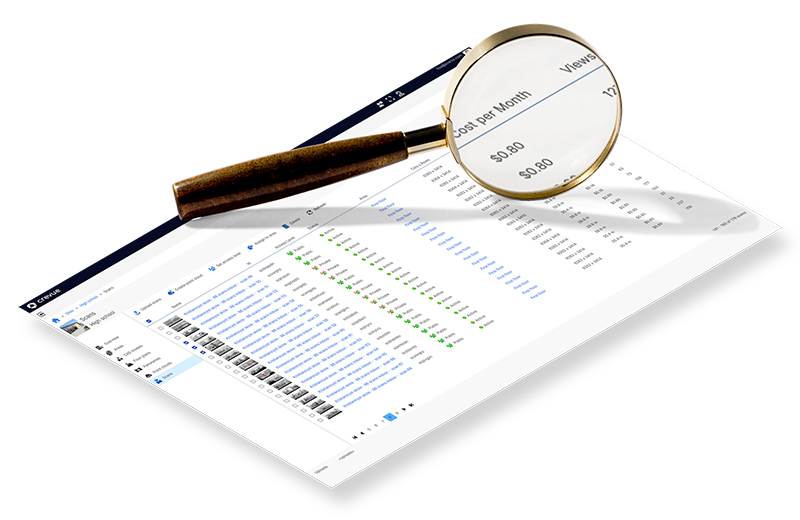
A screenshot from the CMS displaying a list of scans along with the cost for each scan
Full cost overview to avoid surprises
Utilize the Crevue CMS to gain comprehensive insight into your online content and its associated costs. The costs are presented individually for each resource (as illustrated in the screenshot to the left) and summarized by site and subscription (grand total).
Moreover, you can establish your budget. Based on this budget, you can configure multiple alerts to automatically notify you when costs surpass specific thresholds.
You only pay for what you use
Our consumption-based 'pay-as-you-go' pricing model offers excellent flexibility, allowing you to add and remove content as needed. You only pay for the content that you actually store and publish to users.
Use our price calculator to see the cost for hosting your content on our platform.
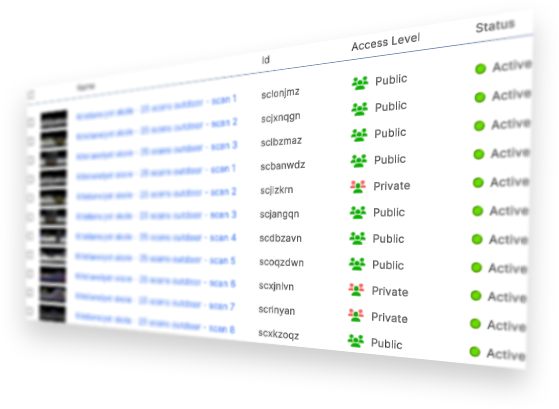
Access Control
Content not currently used by projects can be marked as 'Private', making it viewable only by its owner. Private content benefits from an 80% price reduction. Therefore, by strategically determining what needs to be public and what can remain private at any given time, you can achieve substantial savings.
Learn moreCancel anytime
You can cancel your subscription at any time, no questions asked. The content you have uploaded belongs to you and can be downloaded before termination.
Egress quota
Prices include cloud storage and the egress of your content. Egress (streaming content from the cloud server to the client) is included with a generous quota that varies by content type, which is sufficient for all normal usage. In scenarios where many users are active and the quota is exceeded ('extreme egress'), an additional charge will be applied for the excess bandwidth usage.
Learn moreHave any questions?
Learn more about our invoices and billing or talk to one of our experts